
July 19, 2024: A single CrowdStrike update crashed 8.5 million Windows machines at once, with global losses estimated at $15 billion, according to insurer Parametrix.
It happened because a routine update went out to every machine at once.
Now picture a different version of that day.
The update reaches 1% of machines first. The team spots the crashes within minutes, pulls the update back, fixes it, and re-releases. Most of the world never finds out anything went wrong.
Speed and safety shouldn’t be a trade-off.
And it matters more than ever, as coding agents now write and ship code faster than most teams can check, so the gap between deploying something and knowing it works keeps widening.
Feature management closes that gap. It lets product and engineering teams release in controlled stages, see the impact as it happens, and change course instantly if something goes wrong.
Below, we look at what gets in the way today, and how Wingify Feature Management helps you move fast with confidence.
The real challenges that prevent teams from shipping fast and safely

Product and engineering teams rarely ship one big release at a time.
They might be running pricing experiments for one user segment, rolling out a redesigned checkout flow, or pushing incremental fixes to the app.
Often, these happen simultaneously. While some teams have solved for how quickly they can ship something, few have solved for what happens the moment it goes live.
This missing layer creates several challenges that affect how fast a team moves and how safely it can release something to users.
1. All-or-nothing releases
When a feature gets built, teams don’t have a set mechanism that allows them to:
- Release it to a small subset of users first
- Analyze how it impacts their behavior
- Track whether the feature works as intended without breaking
- Gradually release it to all users or roll back if anything goes wrong
Suppose an eCommerce firm ships a redesigned checkout page to 100% of its traffic. However, a minor bug in the payment step affects 1 in 20 checkout attempts, leading to many failed purchases.
Because most checkout attempts are still successful, the team doesn’t notice the bug right away. By the time support tickets spike, many users would’ve abandoned their carts and decided not to return to complete the purchase.
Internally, it would increase scrutiny of upcoming releases and impact the team’s speed.
2. No real rollback or kill-switch strategy
Even when teams catch a problem early, they have no established mechanism to roll it back instantly. They either have to redeploy the code or wait for approval to have someone fix it. Meanwhile, the problem keeps compounding and continues to hurt the user experience.
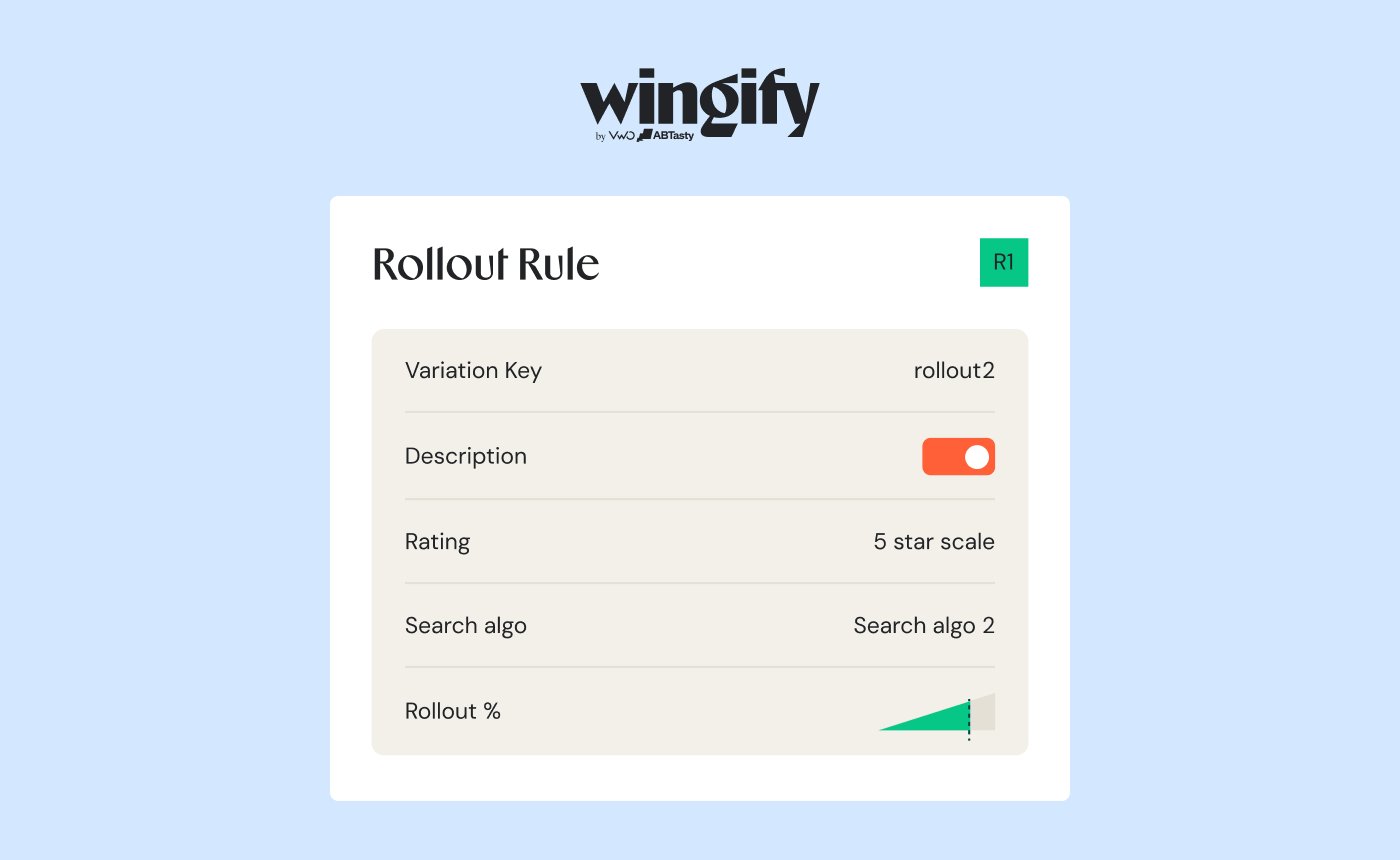
What makes a rollout safe is what surrounds it: gradual exposure, automatic guardrails, and an instant way to switch it off, all covered below.
In 2012, for instance, an engineer at Knight Capital manually deployed new trading code to seven of eight servers. They missed the eighth server, which still ran old test code that hadn’t been used since 2003.
Knight switched on the new code using a feature flag that had once controlled the old code. The flag worked as intended on seven servers, but on the eighth, it turned the old code back on.
With no automated guardrail to catch the mismatch and no kill switch to shut it off, the eighth server fired unintended trades for 45 minutes, costing Knight Capital more than $400 million.
3. Shipping without measuring what actually happens next
A feature can underperform for a long time without anyone deciding to act on it. This challenge is common, especially when no predefined threshold forces a hard look at whether a feature is delivering as intended.
Zillow, a real estate marketplace, offered an automated home-buying program that used a pricing algorithm to make cash offers to home sellers. In 2021, as the housing market shifted, the algorithm’s forecasts of future home prices proved less reliable than the company expected, and Zillow kept buying homes at prices it later couldn’t recover.
By the time the pattern became visible, Zillow posted a consolidated net loss of $528 million, mostly because of the program, announced plans to cut a quarter of its workforce, and decided to wind the program down in November 2021.
Also, while the numbers show that something is underperforming, behavioral data helps you understand why. As Vinayak Purshan, Associate Marketing Director at Cashfree Payments, puts it, “the magic happens when we marry what with why.”
At Cashfree, pairing analytics with heatmaps showed that visitors couldn’t find the section they were meant to land on, which led the team to clarify the page copy.
4. One-size-fits-all releases
Releasing the same experience to every user assumes everyone’s context is the same. However, teams usually cater to a wide range of audiences, interests, regions, and demographics.
In 2012, Apple replaced Google Maps with its own app as the default for every iPhone user simultaneously. This new app had never been exposed to a large, geographically diverse audience.
Once live, it misdirected drivers down nonexistent roads, forcing Apple to issue a public apology. Years later, Tim Cook said the team believed the app was ready because its testing had focused mostly on local areas.
5. Overreliance on manual checks and approvals
Manual testing and approval checkpoints from relevant stakeholders often create roadblocks for teams looking to scale release velocity. As teams try to grow, they encounter the same challenges:
- Human error creeps in under time pressure
- Releases slow down due to pending approvals
- The review bar quietly drifts from one release to the next
While checkpoints at crucial stages matter, automated guardrails and controlled exposure are better options for teams trying to scale and move fast.
How feature management decouples deploy from release
One of the core USPs of feature management is the separation of release and deployment into two events. This is done with one simple step: wrap the new code in a feature flag.
if (featureFlag.isEnabled("new_checkout")) {
    // new code
} else {
    // old code
}
Teams can easily control feature flags from a dashboard, which opens up a whole new avenue of possibilities:
- Release a feature to a small percentage of users, and expand it gradually to a larger audience as confidence builds.
- Turn off or roll back the feature instantly if something seems off, without waiting for a new deploy.
- Target the feature to a specific group of users to better understand segment-wise behavior.
- Control every aspect without relying on an engineer to manage every change.
This shift reduces release and deployment risk, enabling teams to ship confidently, move faster, and gather deeper insights into how each release affects user behavior.
3 core capabilities of feature management for fast-growing product teams
1. Feature rollout and management
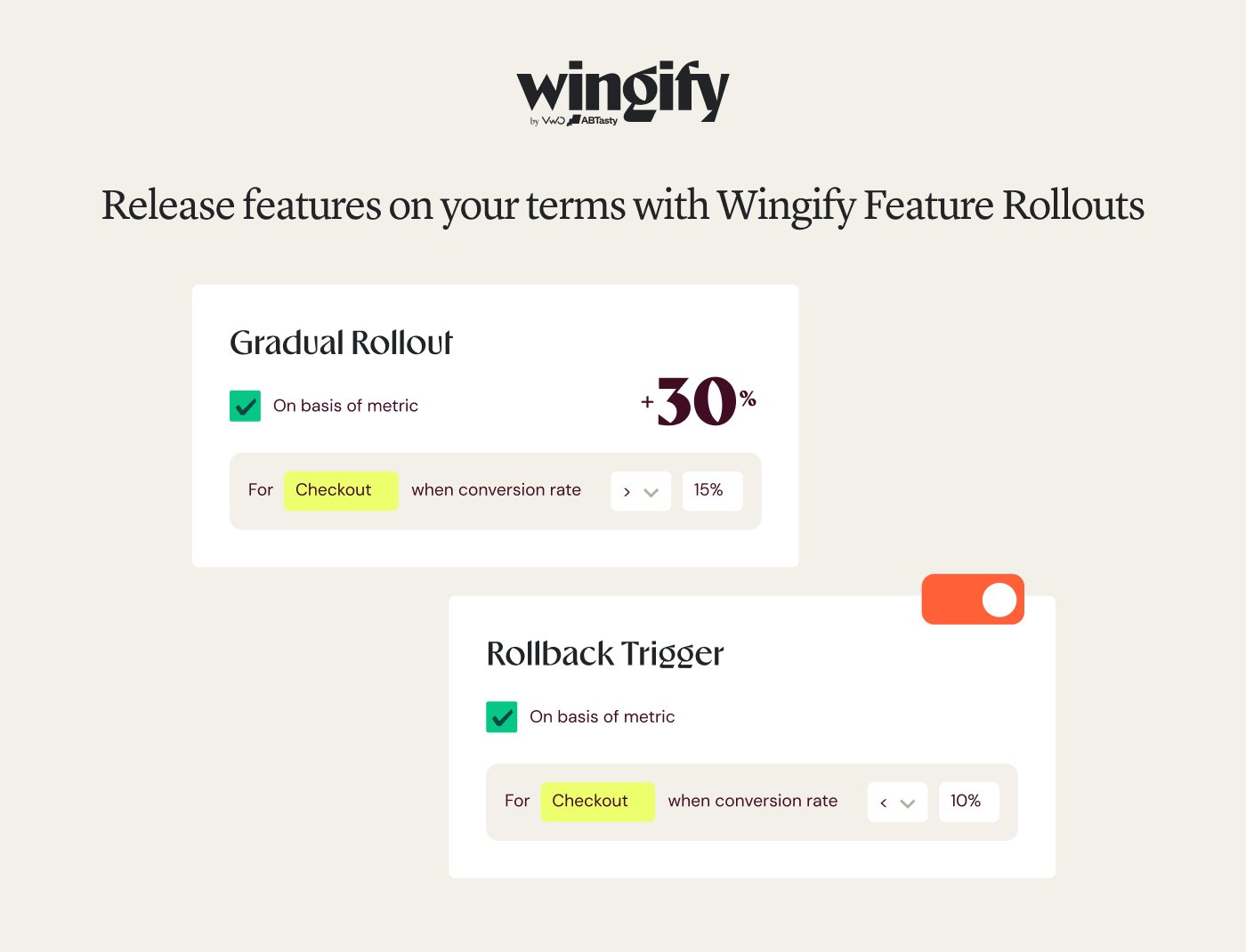
With this capability, teams can ship a change or release a feature to a select percentage of users and observe how it works.
For instance, you can ship a feature to just 1% of users, expand it to 10% if things go well, and gradually release it to 100% of users.
Or you can just roll it back the moment something looks off.
Progressive rollouts in feature management can help you avoid a CrowdStrike-type incident, tackle the all-or-nothing challenge, and maintain total control over how and when something is shipped.
2. Experimentation
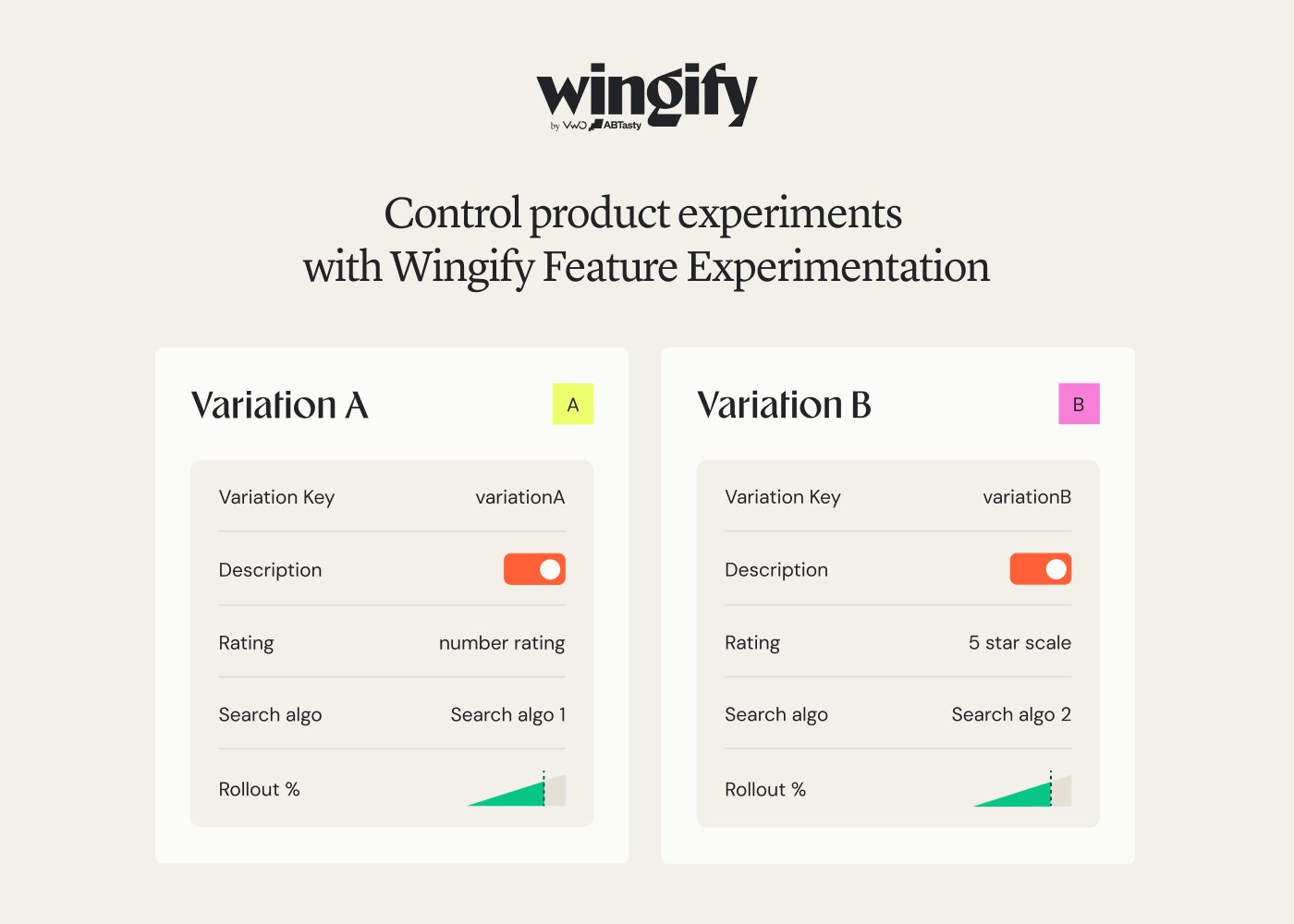
Instead of guessing how a change will work or affect user behavior, use A/B testing to see how it fares against the existing version.
Track how users interact with the change, watch key metrics move, and analyze the overall impact on the user experience.
With feature experimentation, teams can observe how a change performs as compared to the existing version and decide whether or not it should be shipped to a broader audience.
3. Personalization

Your audience wants you to deliver experiences tailored to their interests, motivations, preferences, and challenges.
Take a SaaS product, for example: existing customers would ideally want to see features tailored to their goals and challenges.
On the other hand, a free trial user is trying to understand how well the product meets their requirements, and so the experience should ideally deliver on that front.
With feature personalization, you can target and segment such audience groups to deliver consistent, personalized experiences across channels and platforms.
Real-life examples of how teams use feature management to ship fast and scale smarter
1. AURUM drives 4× trial activation through experiment-led onboarding with Wingify Feature Management
Aurum, a popular legal tech brand, wanted to improve the trial activation rate for users of its practice management platform, Astrea.
Although the platform offered a 10-day free trial, users didn’t hit their first ‘aha’ moment until 2 or 3 days later.
This is because legal clippings could take up to 48 hours to become available after sign-up, which hurt engagement and increased churn risk.
To address this, Aurum’s team used feature management to run a structured pipeline of experiments across the trial journey.
- A redesigned onboarding flow with a clearer progress bar and reframed setup steps lifted activation by 105%.
- Guiding users toward key activation behaviors through a checklist (add a task, process a clip) delivered a 187% uplift in activation.
- Legal clippings were made available immediately on first access, rather than making users wait for 48 hours. This lifted engagement with clippings by 125%.
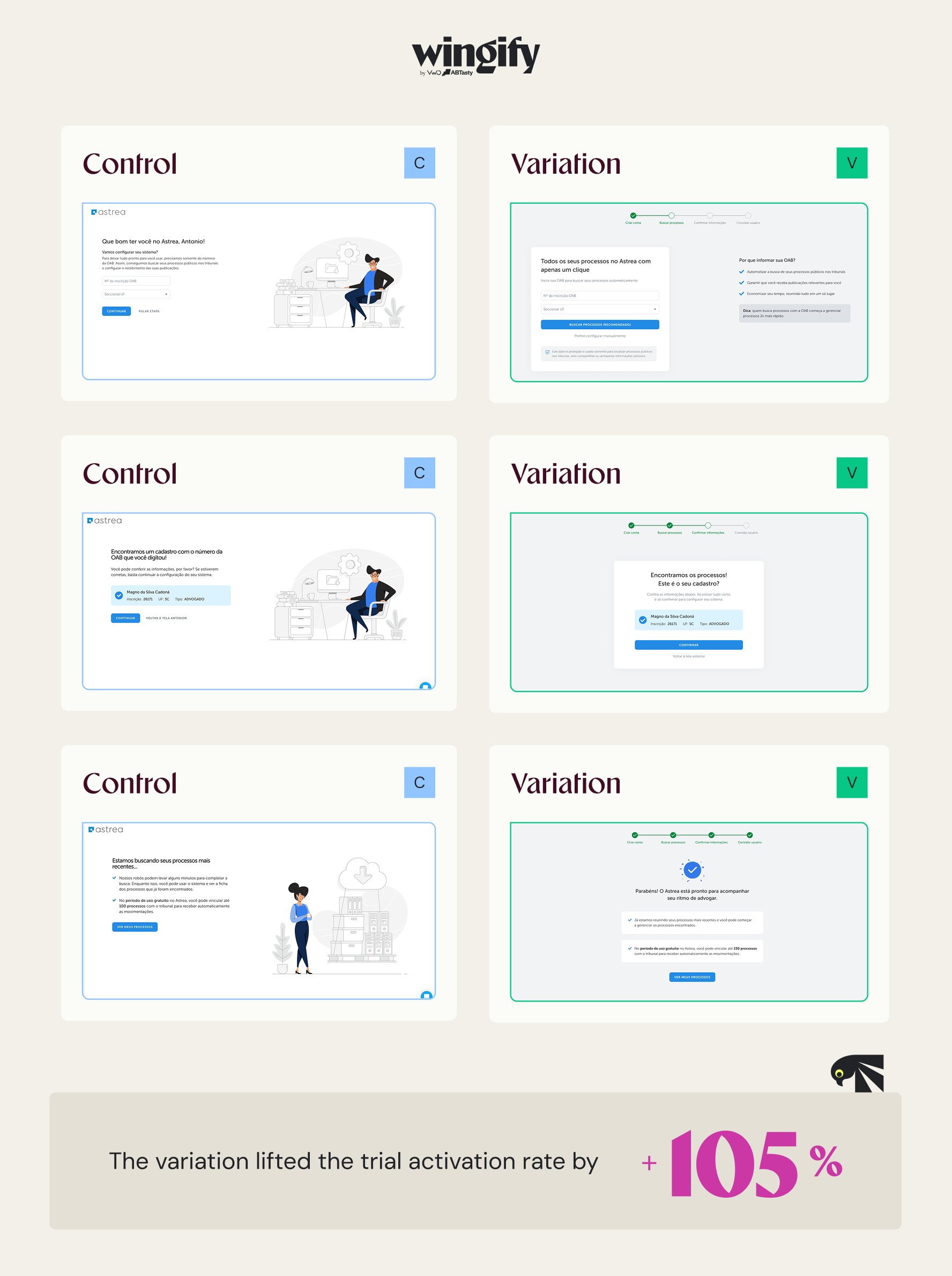
Together, these layered changes increased Aurum’s trial activation rate from 1% to 4%, a 4x increase (+300% growth).
2. The Netflix feature that is used 136 million times daily
In 2017, Netflix noticed that viewers fast-forwarded through a show’s first five minutes about 15% of the time. While this was a signal that people wanted to skip the intros, the team was worried that a dedicated button would hurt engagement instead.
So, instead of building the button and rolling it out everywhere, they tested it first.
A ‘Skip Intro’ button was added to around 250 series, excluding films, in the US, UK, and Canada, and launched on its website to a random set of members. The response was strong enough that it expanded to TV and then mobile within a year.
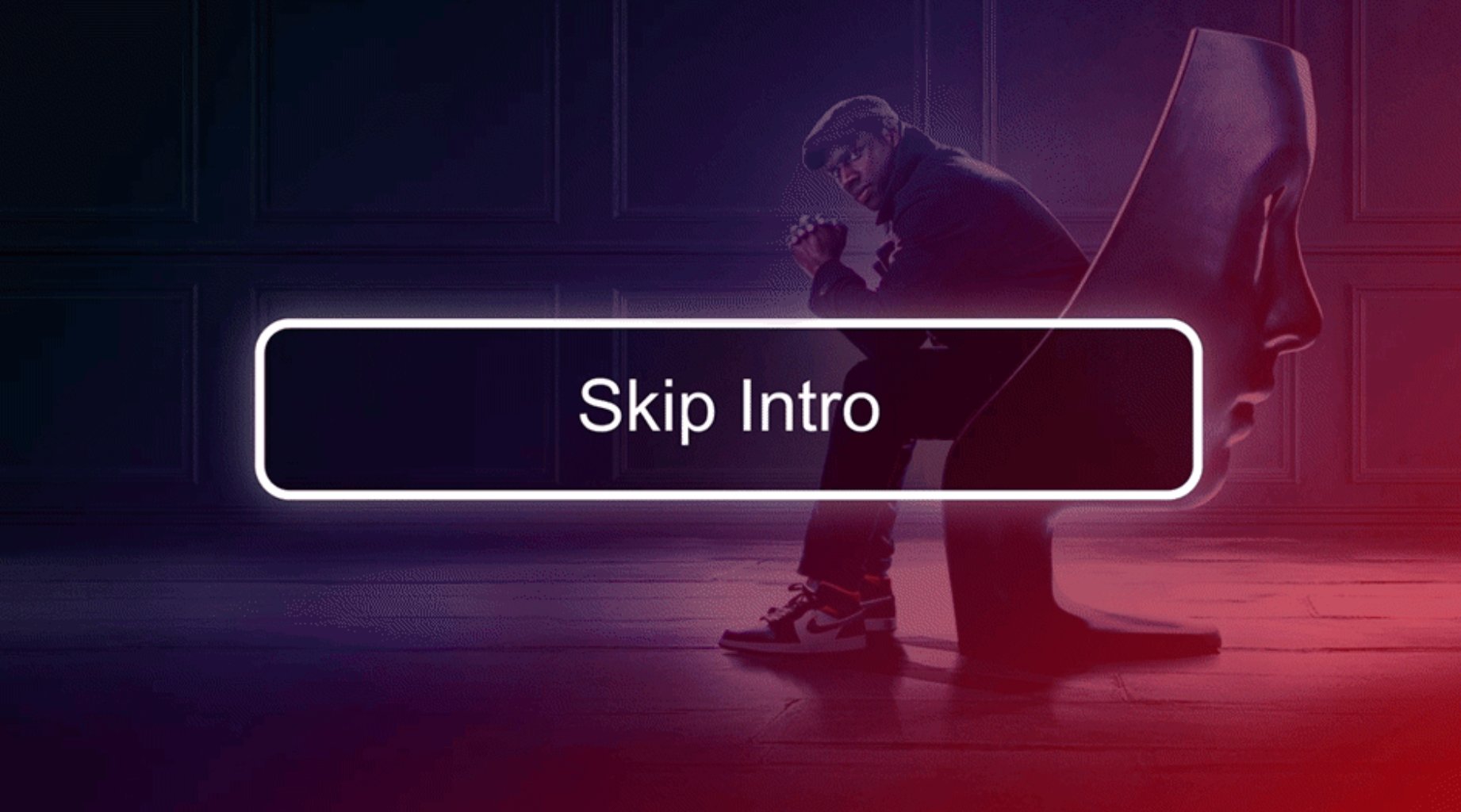
By 2022, Netflix’s ‘Skip Intro’ button was used roughly 136 million times a day, saving viewers a combined 195 years of viewing time daily.
3. Meliá Hotels managed a guarded funnel rollout from 5% to 100% in one week with Wingify Feature Management
Meliá Hotels International is a popular hospitality brand with a global presence in 40+ nations.
The team at Meliá wanted to improve the engagement and purchase of add-on services (pet care, early check-in) by surfacing these options early on in the funnel.
However, they were working within an already optimized booking flow. Any additional step would increase the chance that users would drop off before completing the booking.
Meliá’s team used feature management to introduce the new step as a progressive rollout.
The add-on services step was first shown to 5% of users, then 15%, then 50%, and finally to 100% of users.
The team ran this phased rollout over one week, with a guardrail metric on final booking confirmations.
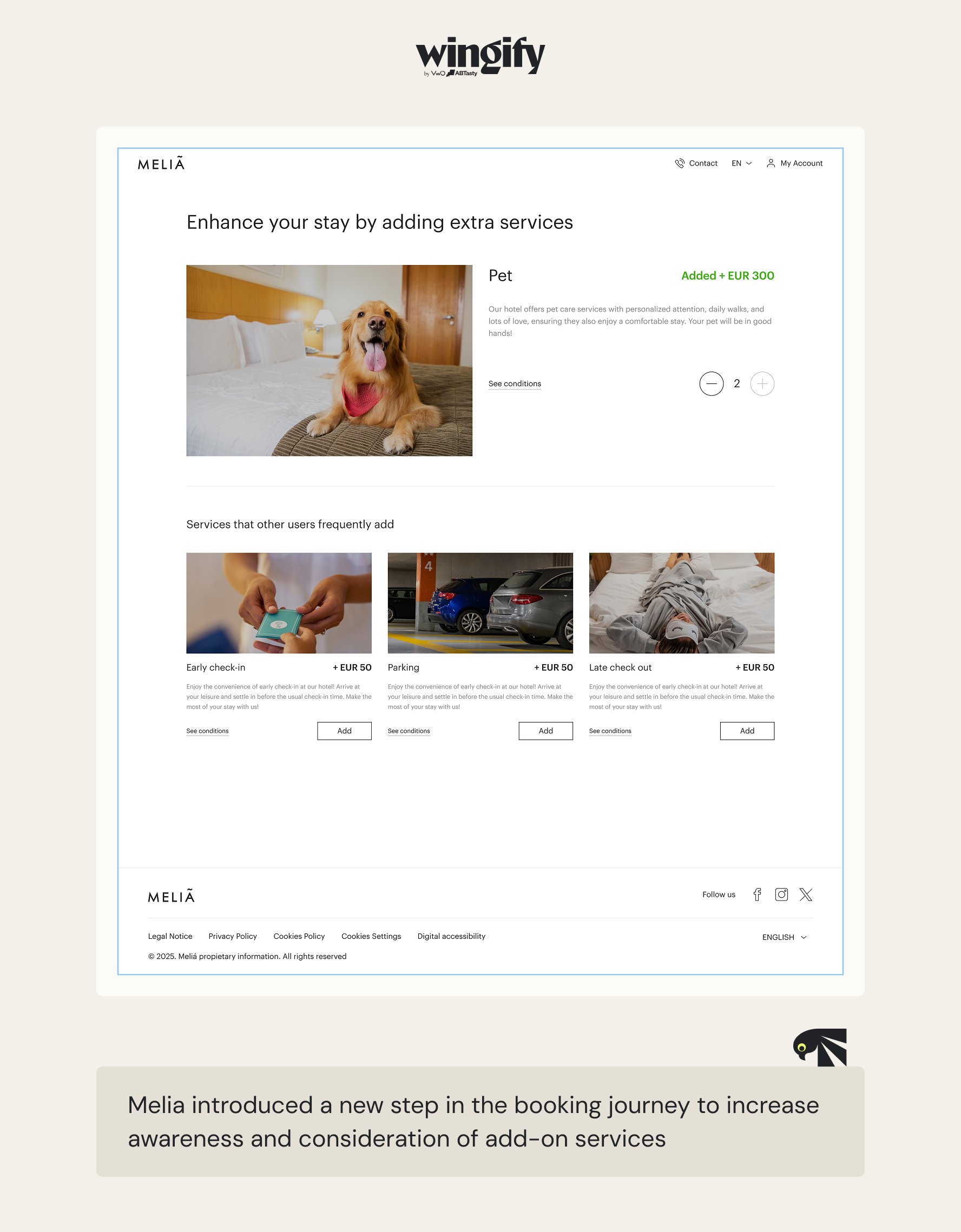
The funnel remained stable with no increase in drop-offs, and the team also registered a meaningful uplift of 1.85% in average revenue per visitor.
4. How Amazon delivers personalized experiences to over 300 million users
As a platform serving over 310 million users worldwide, Amazon must deliver a highly curated experience for all types of users at once.
Whether it is a new visitor browsing electronics, a repeat buyer of household staples, or a business buyer sourcing office supplies, each expects a home page tailored to their needs.
Amazon displays different products, banners, and recommendations based on users’ location, account history, and browsing behavior.
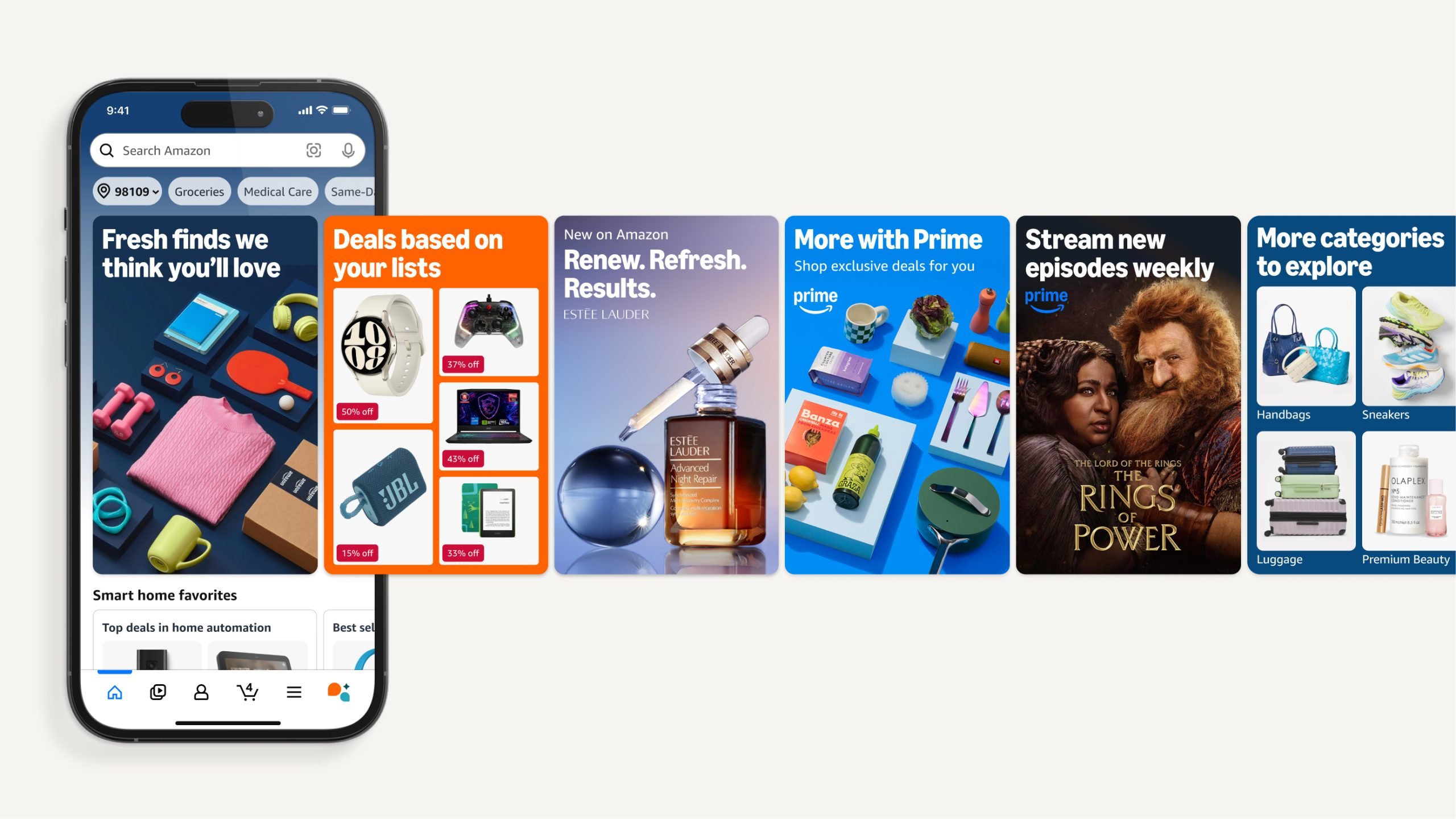
It also leverages segmentation and targeting to ship personalized experiences to every user across multiple platforms.
Use Wingify Feature Management to manage guarded rollouts without compromising on speed
Wingify Feature Management brings feature rollouts, experimentation, and personalization together in one place, with a single flag across web, server, and mobile apps, so teams don’t have to manage separate tools for each part of a release.
As teams ship code faster than ever, often with AI tools doing a chunk of the work, Wingify Feature Management adds a layer of control that is often missing.
- Control how a release goes out: Roll out a feature to a small percentage of traffic, expand it as confidence builds, or pull it back instantly if something looks off, without any redeployment. You can also schedule the ramp-up, or let it advance automatically as key metrics improve.
- Protect against a release going wrong: Set automatic guardrails for each release. If one drops below a set threshold, the rollout pauses automatically.
- See whether the feature is actually working: Track exactly how a feature is affecting key metrics before deciding whether it’s ready for a wider release. Connected heatmaps, session recordings, and funnels for each variation show you why a metric moved, not just that it did.
- Deliver the right version to each audience: Target users by plan, device, OS, app version, location, or cohorts from your own data and tools like Amplitude and Mixpanel. Change feature values live, even in mobile apps, without waiting on an app store release.
Wingz runs the loop for every release
Wingz, the AI layer woven into Wingify, runs across the Relevance Loop for each release:
- Understand: Wingz analyzes adoption, conversion, revenue, and engagement, and it also reads heatmaps, session recordings, funnels, and user feedback.
- Decide: It suggests whether to advance, hold, or revert a release, or which value a segment should get next, with the evidence behind each suggestion.
- Act: It turns those decisions into feature flag configurations when you prompt your coding agent from tools like VS Code, Cursor, or Claude.
- Measure and learn: Every release is analyzed with real-time statistical reports and insights surfaced by AI, so each learning feeds the next release.
By default, Wingz suggests and waits for your approval, and teams can give it more room within guardrails they set.
Get in touch to explore how Wingify can help your team ship faster without compromising on safety.

Hi, there! I’m an Associate Manager of Content at VWO with 6 years of experience in B2B and B2C marketing. I work across blogs, SEO, thought leadership, newsletters, landing pages, and a video podcast I built and manage from scratch. At VWO, I’ve gained expertise in CRO, experimentation, user behavior research, and personalization, creating content that makes complex ideas clear and actionable. Outside of work, I enjoy experimenting with memes and short-form video on Instagram.