Customer satisfaction isn’t just a nice-to-have; it’s the lifeblood of any successful business.
According to recent studies, 32% of customers stop doing business with a favorite brand after one bad experience, leading to a loss of potential revenue. This highlights why keeping a pulse on customer satisfaction is crucial for business success.
To keep customers happy and loyal, it’s vital to measure metrics like Customer Satisfaction Score (CSAT), Net Promoter Score (NPS), and Customer Effort Score (CES).
That’s where customer satisfaction survey tools come in. These tools help businesses track these metrics effectively, ensuring they can gather valuable feedback, monitor satisfaction trends, and address pain points before they become deal-breakers.
In this blog, we’ll explore the top tools for CSAT Surveys for improving customer satisfaction and turning dissatisfaction into loyalty.
What are customer satisfaction survey tools?
Customer satisfaction (CSAT) survey tools help businesses collect, analyze, and manage customer feedback about their experiences with products or services. These tools enable companies to systematically gather insights into customer perceptions, preferences, and pain points through various survey formats, including questionnaires, rating scales, and open-ended feedback forms.
They offer a range of features that make it easier for businesses to gather, analyze, and act on customer feedback. These include:
Customizable survey templates
Multiple distribution channels (email, web, mobile, SMS)
Real-time response tracking
Automated follow-up capabilities
Analytics dashboards to convert raw feedback into insights
Visual reports, trend analysis, and performance metrics
By using these tools, businesses can identify areas of improvement and take data-driven actions to enhance the customer experience.
Customer satisfaction survey tools shortlist
The following are some of the best CSAT survey tools that are highly regarded for helping businesses measure and improve customer satisfaction. We’ll go deeper into each tool in the sections below:
Our evaluation methodology is based entirely on secondary research. Each tool was assessed using official product documentation, publicly available feature information, and third-party user reviews from G2.
The order in which tools appear and the way they are described reflects only what each tool actually offers based on these sources, with no bias toward any particular platform. We recommend taking advantage of free trials wherever available before making any final commitment.
Three dimensions guided the evaluation of every tool in this guide:
Survey channels and triggers: We checked which channels each tool supports, such as email, SMS, web, in-app, mobile, and kiosks, and whether surveys can trigger automatically after key events. Strong tools reach customers on the channels they already use, right after a purchase, support interaction, or onboarding step.
CX metrics coverage: We checked support for CSAT alongside NPS and CES, along with the rating scales and question types available. Strong tools measure satisfaction at the interaction level and track loyalty over time in one place.
Analysis and insights: We checked how each tool turns responses into insights, including dashboards, trend tracking, and AI-driven theme and sentiment analysis. Strong tools surface what drives satisfaction without manual sorting of open-text feedback.
Quick picks
Category
Tool
Why it wins
Best overall for improving customer satisfaction
Wingify User Feedback
Captures in-the-moment feedback through web, mobile, and link surveys, groups responses by theme and sentiment with Wingz, and feeds findings into experiments on the same platform.
Best for multichannel CSAT surveys
Survicate
Runs CSAT surveys across website, email, link, in-product, and mobile app channels, with targeting rules based on user attributes and triggered actions.
Best for large, multi-location enterprises
Medallia
Alerts frontline teams to act on feedback, helps managers spot local trends, and supports leaders in driving improvements across every location.
Best for getting started on a free plan
SurveyMonkey
Offers a free plan, more than 500 expert templates, and AI that builds a survey from a short prompt.
Best for closing the loop across channels
Zonka Feedback
Collects NPS, CSAT, and CES through channels such as WhatsApp, kiosks, and QR codes, then turns feedback into trackable cases with assigned owners.
Best for support ticket satisfaction
Nicereply
Sends post-resolution surveys automatically after a ticket closes and breaks down performance by team and agent.
CSAT tools – Comparison table
S.No.
Tool
Category
Best for
Free plan
Free trial
Starting price
G2 rating
1
Survicate
Customer feedback platform
Measuring CSAT at key moments across the customer journey
Yes
10-day
$114/month (billed annually)
4.6/5
2
Qualtrics
Customer experience management
Predicting and preventing churn with omnichannel feedback
Yes
30-day
Not publicly listed
4.3/5
3
Medallia
Enterprise experience management
Running CX programs across large, multi-location organizations
No
No free trial listed
Not publicly listed
4.5/5
4
SurveyMonkey
Survey and forms platform
Running always-on feedback programs across every touchpoint
Yes
No free trial listed
$39/month (billed annually)
4.4/5
5
Zonka Feedback
AI-powered customer feedback platform
Measuring NPS, CSAT, and CES and assigning follow-up actions
No
14-day
Custom pricing
4.7/5
6
SurveySparrow
Customer experience management
Tracking satisfaction from pre-sale through support and renewal
Yes
14-day
Not publicly listed
4.4/5
7
Nicereply
Customer satisfaction survey software
Collecting CSAT after support interactions and resolved tickets
No
14-day
$59/month (billed annually)
4.5/5
8
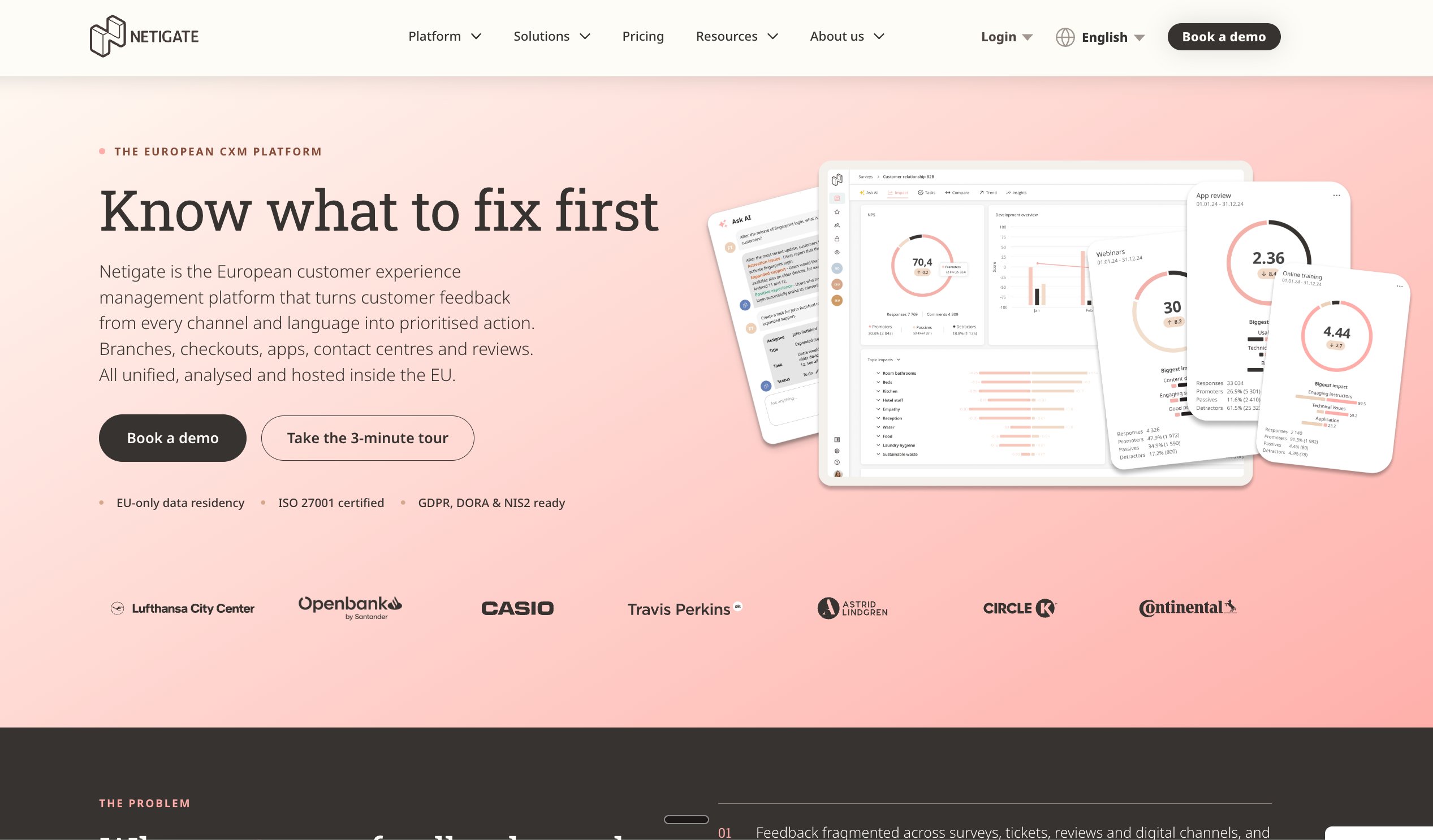
Netigate (formerly Lumoa)
Customer experience platform
Uncovering satisfaction drivers across markets and languages
No
No free trial listed
€7,000/year (billed annually)
4.2/5
9
AskNicely
Customer experience platform
Collecting feedback right after key service moments
No
No free trial listed
Not publicly listed
4.7/5
10
Wingify
Agentic Experience Optimization Platform
Turning in-the-moment feedback into tested improvements
No
30-day
Not publicly listed
4.4/5
10 Top customer satisfaction survey tools – Detailed review
Here is our curated list of the top 10 customer satisfaction survey tools. Choose the right customer satisfaction survey tool to gain insights into user motivations and boost customer satisfaction.
1. Survicate
What it does
Survicate is a customer feedback platform that measures customer satisfaction with CSAT surveys across the website, email, link, in-product, and mobile app channels.
It helps businesses understand how satisfied customers are at different points of the customer journey and what causes frustration. The workflow follows three steps: create the survey, analyze the satisfaction insights, and then act on the results through connected tools.
Key features
CSAT surveys can be built from a ready-made template, generated with AI, or created from scratch, then branded with company colors and a logo.
Targeting rules show CSAT surveys based on user attributes and triggered actions, so the question appears at the right moment.
A CSAT question can be embedded directly in an email message, which lets recipients submit their rating straight from the inbox.
Recurring surveys can be set up once and then collect satisfaction data continuously.
The analysis view tracks satisfaction trends over time, filters results by question, date, and custom properties, and exports graphs as PDF or PNG files, with AI categorization and sentiment analysis.
Integrations send CSAT surveys after support tickets close, alert teams in Slack about new responses, push scores to a CRM for customer segmentation, and route feature requests to Productboard.
Pros & cons
Pros
Cons
Its automated survey distribution and trigger options help users collect feedback after appointments, maintenance visits, and onboarding sessions without manually sending surveys.
Survicate’s built-in alerting system lacks customizable rules for urgent negative feedback, which can delay responses to customer concerns.
It offers customizable survey templates, different question types, and conditional logic, allowing users to tailor questionnaires to different audiences and requirements.
Adding surveys directly to a website’s user interface may require code changes and developer assistance.
Its AI-powered analysis categorizes open-ended responses, identifies recurring themes, and surfaces insights from customer feedback, reducing the time spent on manual analysis.
Pricing
Survicate offers 3 plans, all billed annually:
Growth: $114/month
Pro: $349/month
Enterprise: $569/month
Free plan:
Yes
Free trial:
10-day free trial
Best for
Measuring customer satisfaction at key moments across the customer journey, such as onboarding, support interactions, and post-purchase experiences.
G2 rating
4.6/5 based on 215 reviews
A customer experience as per G2 reviews:
It is very easy to use and implement. Good native integrations (e.g., Mixpanel). Flexible customization for surveys and helpful and responsive customer support.
Lucas M. Head of Design
2. Qualtrics
What it does
Qualtrics is a customer experience management platform that brings customer signals from surveys, chat, email, digital behavior, and real-time feedback into 360-degree customer profiles.
AI-driven insights help businesses understand what customers need, resolve issues, and act on feedback before customers leave. It anticipates needs, reduces churn, and grows revenue across the customer journey.
Key features
Voice of Customer captures feedback through surveys, calls, chat, social channels, and digital behavior, and maps each customer journey along the way.
Automated interventions flag at-risk customers with configurable triggers, such as a CSAT score falling below a set threshold or several low scores in a row.
Active follow-ups route cases to the right team automatically, for example, sending an NPS drop to the retention team or triggering a post-purchase dissatisfaction email.
Location Experience Management gives real-time recommended actions for each location and compares CSAT scores across regions to highlight top performers.
Contact Center Experience Analytics monitors every call, email, and chat to show how to improve customer satisfaction.
Digital Experience Analytics combines surveys, digital analytics, and real-time feedback in one view, with session replay to pinpoint friction such as checkout errors.
Pros & cons
Pros
Cons
Offers flexible survey design with advanced logic, so respondents only see questions that apply to them.
Auto-generated reports are basic, and exported raw data often needs cleanup before use.
Turns open-ended feedback into clear insights through text analytics and visual dashboards.
Offers a limited set of ready-made integrations, so teams often need custom work to connect other systems.
Lets teams build custom dashboards for different stakeholders, which makes sharing results easier.
Pricing
Qualtrics Customer Experience pricing is not publicly listed.
Free plan:
Yes
Free trial:
30-day free trial
Best for
Connecting customer feedback from every channel to predict and prevent churn, and follow up with at-risk customers before they leave.
G2 rating
4.3/5 based on 752 reviews
A customer experience as per G2 reviews:
The platform is simple to use and intuitive. You can create or update surveys on the fly with a wide range of options and tools for data analysis. Customer service is very helpful and responsive. Qualtrics is also very reliable.
Jeremy W. Database Manager
3. Medallia
What it does
Medallia is an enterprise experience management platform that gives businesses a real-time view of their customers, patients, or guests, so teams can anticipate needs and take the right next action.
It’s purpose-built for large, complex, multi-location organizations, bringing every customer and employee signal together and highlighting what affects revenue, ROI, and sales.
Key features
Signal capture collects customer and employee feedback across online, in-person, contact center, and chat interactions in one platform.
AI-driven analytics highlight which experiences are affecting revenue, ROI, and sales, so teams know what to act on first.
Self-serve analysis uses AI to spot where customers can help themselves, reducing the need for service outreach and lowering operational costs.
Real-time upsell detection identifies sales opportunities online and in person and alerts the right team.
Role-based alerts notify frontline teams to act on individual feedback, help managers spot local trends, and support leaders in driving improvements across every location.
Admin Suite manages all experience programs holistically from one place.
Pros & cons
Pros
Cons
Uses AI-driven insights to spot trends and recurring concerns, so teams can decide what to fix first.
Can be complex to set up and customize, often needing significant time and resources.
Turns open-text feedback into trackable topics, so teams can see how sentiment changes over time.
Offers limited dashboard customization, with no option for users to build their own dashboards.
Offers dashboards per customer journey, with filters by date and domain to find specific feedback easily.
Pricing
Medallia pricing is not publicly listed.
Free plan:
No
Free trial:
No
Best for
Running customer experience programs across large, multi-location organizations, where frontline teams, managers, and leadership each need to act on feedback.
G2 rating
4.5/5 based on 212 reviews
A customer experience as per G2 reviews:
The thing that stands out for Medallia Customer Experience is that it combines customer feedback from different channels into a single dashboard. It is easier for us to find out the trends and take action on them. One instance is that we could spot a common problem with our delivery service and set it right, which will positively enhance our customer satisfaction scores. Also, the customizable surveys are a game-changer. This helps us to ask questions that are relevant for a particular customer segment, to give us the most relevant information.
Affonso C. Customer Experience Analyst
4. SurveyMonkey
What it does
SurveyMonkey is an always-on feedback platform that brings surveys, online forms, and market research together in one place. It helps businesses listen continuously across every touchpoint, so they get a full picture of what customers want, prefer, and expect, and can make decisions based on that feedback.
Key features
Surveys can be built from more than 500 expert templates, generated by AI from a short prompt, or imported from other productivity apps.
AI-powered survey guidance offers expert question recommendations and spots potential errors before a survey goes live.
Surveys can be shared by email, web link, SMS, or QR code, and SurveyMonkey Audience offers access to a global panel of more than 335 million people.
Research-grade features such as advanced logic and randomization help capture precise insights, with question and page randomization.
Analysis tools include sentiment analysis and industry benchmarks for faster, data-driven decisions.
More than 200 integrations trigger surveys automatically, share data across teams, and combine business and survey data, with APIs available for custom integrations.
Pros & cons
Pros
Cons
Uses AI to build surveys from a few pasted questions, suggest answer options, and spot issues in survey design.
Exported data often needs a lot of cleanup before it is usable, especially for multiple-choice questions.
Includes survey logic, so teams can dig deeper into specific answers and understand customer needs better.
Offers limited customization for fully custom branding and survey design.
Shows results in clear charts and multiple views, which makes it easy to spot trends.
Pricing
SurveyMonkey offers 4 plans, all billed annually:
Advantage: $39/month
Premier: $139/month
Team Advantage: $30/user/month
Team Premier: $92/user/month
Free plan:
Yes
Free trial:
No
Best for
Running always-on feedback programs that connect customer insights from surveys and forms across every touchpoint.
G2 rating
4.4/5 based on 24,043 reviews
A customer experience as per G2 reviews:
SurveyMonkey provides AI-powered surveys, which we can create and launch Surveys on the fly in mobile apps and websites. It helps get instant feedback for the product and features of the software.
Aman G. Lead Software Engineer
5. Zonka Feedback
What it does
Zonka Feedback is an AI-powered customer feedback platform that helps teams run surveys, grow online reviews, and turn support tickets and customer conversations into signals they can act on. It’s built for both complex CX suites and businesses that need basic survey tools, combining feedback collection, analysis, and closed-loop action in one platform.
Key features
NPS, CSAT, and CES surveys can be sent through email, SMS, WhatsApp, web, in-app, kiosks, offline mode, and QR codes, with smart targeting to reach the right person at the right moment.
Surveys can be built in minutes with AI or more than 200 templates, and triggered automatically from CRM events, support tickets, or transactions.
Feedback from surveys, tickets, chats, and online reviews is unified in one centralized view, with native connectors for tools including Zendesk, Freshdesk, Intercom, and others.
AI feedback intelligence finds recurring themes and sub-themes, maps them to agents, locations, products, and channels, and scores their impact on NPS, CSAT, and CES, with an Ask AI option for root cause analysis and next steps.
Role-based dashboards link feedback themes to CX metrics and show each team what’s affecting its area.
Case management and automation workflows turn feedback into trackable cases, assign owners, and route notifications and follow-ups based on theme, sentiment, urgency, or location.
Reputation management brings in online reviews for real-time monitoring and response, and automates review requests to satisfied customers.
Pros & cons
Pros
Cons
Uses AI sentiment analysis to set up rules that trigger actions based on how customers feel.
Offers limited options for bulk editing rules and triggers.
Collects feedback across multiple channels, such as email and SMS, with responses visible in real time.
Emoji icons sometimes fail to display properly in Outlook.
Tracks NPS and CSAT, including how scores change before and after follow-ups.
Pricing
It offers flexible pricing tailored for your business.
Free plan:
No
Free trial:
14 days
Best for
Measuring NPS, CSAT, and CES across every channel and location, and turning each response into an assigned follow-up action.
G2 rating
4.7/5 based on 85 reviews
A customer experience as per G2 reviews:
Zonka Feedback has been a fantastic addition to our retail business. We use it to collect customer feedback at checkout and post-purchase via SMS surveys. The real-time dashboard gives us valuable insights into what customers love and where we need to improve.Since implementing the platform, we’ve seen an improvement in our customer experience and retention rates. The NPS tracking has been particularly useful in understanding brand loyalty.
Rajat G. Manager
6. SurveySparrow
What it does
SurveySparrow is an AI-powered customer experience management platform that collects feedback at every touchpoint and measures a customer satisfaction index across the customer journey.
Its AI-powered analytics decode customer perception at scale, helping businesses offer proactive service, prevent churn, and improve the experience from first contact through renewal.
Key features
CSAT surveys can go out after a purchase, before a subscription renewal, or right after a support interaction to gauge customer satisfaction.
Customer Effort Score surveys, sent after a sale or interaction, measure how easy it was for customers to use a product or get help.
Transactional NPS surveys capture how a customer’s sentiment changed after their most recent interaction with the brand.
Website feedback survey bots embed on a website to offer support, resolve queries, and collect feedback on the site experience.
Product and event feedback surveys help discover product pain points and track customer happiness before a sale, during interactions, and after the sale.
AI-powered insights dashboards deliver ready-to-act findings, send alerts when scores change, and use key driver and topic analysis to show what to fix first.
Pros & cons
Pros
Cons
Offers a conversational, chat-style survey format that feels more engaging than regular forms and helps more people finish surveys.
Offers limited customization for specific designs, templates, and complex logic.
Includes a visual logic builder, so respondents only see questions that apply to them based on earlier answers.
Reporting can be confusing at first and lacks deeper analytics, such as cross-tabulation across segments.
Shares surveys through channels like WhatsApp and email, which helps reach people who usually ignore survey links.
Pricing
SurveySparrow pricing is not publicly listed.
Free plan:
Yes
Free trial:
14-day free trial
Best for
Measuring customer satisfaction at every stage of the customer journey, from pre-sale through support and renewal, to catch issues early and prevent churn.
G2 rating
4.4/5 based on 2,065 reviews
A customer experience as per G2 reviews:
The tool is very simple for us to collect feedback from our clients about our EOR services. The surveys look nice, more like chat, so the clients actually reply. We also like that we can change the design to match our brand. The background and everything looks good and interactive, and it’s really easy to use and create surveys.
Vijay S. Customer Success Manager
7. Nicereply
What it does
Nicereply is a customer satisfaction survey software that measures how customers feel about a recent interaction, with feedback collected right after each conversation or resolved ticket.
It connects to help desk and CRM tools such as Zendesk, Front, Freshdesk, and Help Scout, so ratings flow in from the support channels teams already use. Alongside CSAT, it also measures Customer Effort Score and Net Promoter Score.
Key features
In-signature surveys place a CSAT question at the bottom of every email, so teams can spot a conversation going wrong and turn it around quickly.
Post-resolution surveys go out automatically after a ticket, conversation, or deal closes, with a configurable wait time before sending.
Four CSAT rating scales are available: thumbs up or down, smileys with a neutral option, 5 stars, and 10 stars.
Surveys support one-click responses, custom question wording, extra follow-up questions, and no-code template customization.
Self-ratings detection shows when agents rate themselves and keeps those ratings out of the results.
A single dashboard shows every comment in a rating feed, breaks down performance by team, agent, survey, and time period, charts trends over time, and ranks top agents and teams on leaderboards.
An issues feature tracks negative feedback so no unhappy customer is missed.
Pros & cons
Pros
Cons
Tracks and reports data quickly, with detailed analytics that help support teams spot performance trends.
Offers limited survey customization, with fewer options for adding questions or matching brand designs.
Lets users search for a customer and see all their past reviews in one place.
Lacks an option to add rating criteria after the star rating, which makes it harder to get balanced feedback.
Links feedback to the right support ticket, so managers can review what customers said about each agent.
Shares surveys through a QR code, which makes it easy to collect feedback after video calls.
Pricing
Nicereply offers 4 plans, all billed annually:
Starter: $59/month
Essential: $119/month
Growth: $239/month
Business: $359/month
Free plan:
No
Free trial:
14-day free trial
Best for
Collecting CSAT feedback after each support interaction or resolved ticket, and tracking satisfaction by agent and team.
G2 rating
4.5/5 based on 431 reviews
A customer experience as per G2 reviews:
I like best how Nicereply makes it easy to gather and analyze customer feedback, leading to actionable insights.
Andrew A. Call Center Representative
8. Netigate
What it does
Lumoa is now part of Netigate, and its feedback analytics platform continues as Netigate Insights. Netigate is an AI-powered customer experience platform that helps businesses understand what drives customer loyalty, act on feedback faster, reduce churn, and build lasting relationships.
It combines Netigate Surveys for collecting feedback with Insights for analyzing it, and it’s designed for organizations running continuous feedback programs across teams, markets, and channels.
Key features
It imports feedback from support calls, chats, social media, online reviews, and surveys into one platform for a complete view of the customer.
Real-time views show what influences customer satisfaction and key KPIs, so teams can act based on data.
Customer journey tracking measures the impact of each step, provides deep analysis of what matters most, and reports on progress over time.
AI-powered text and sentiment analysis highlights the key drivers behind NPS and CSAT without manual sorting, with availability depending on package configuration.
ASK AI turns thousands of feedback data points into clear, actionable insights through conversational questions.
Web and app feedback collects input directly from customers on digital channels to improve conversion, loyalty, and satisfaction.
Pros & cons
Pros
Cons
Supports multiple languages, which helps teams run surveys across different countries.
Offers limited built-in visualization, so deeper analysis across segments often needs data exports.
Includes branching logic, so respondents only see questions that apply to them based on earlier answers.
Setting up user permissions and access rules for complex org structures takes a lot of manual work.
Uses AI text analytics to tag themes in open-text feedback automatically, such as service delays or team culture.
Pricing
Netigate pricing starts at €7,000/year, billed annually.
Free plan:
No
Free trial:
No
Best for
Bringing feedback from surveys, reviews, calls, and chats into one place to uncover the drivers of customer satisfaction across multiple markets, languages, and teams.
G2 rating
4.2/5 based on 30 reviews
Customer experience as per G2 reviews
I value Netigate’s flexible skip-branching survey logic combined with Ask-AI text analytics, which automatically tags themes from open-text feedback like service-delay complaints or team-culture notes. Its seamless Salesforce and Jira integrations push critical feedback straight into action workflows, which is a big plus. The built-in audit trails make CCPA respondent-data checks straightforward, addressing our compliance needs efficiently.
Tobias U. Customer & Employee Experience Insights Manager
9. AskNicely
What it does
AskNicely is a customer experience platform for service businesses that collects feedback through engaging surveys sent at critical moments in the customer journey. Its always-on feedback engine helps teams stay on top of customer needs and act on CX trends before they become problems, with results presented in a way everyone, from executives to frontline staff, can understand and act on.
Key features
Surveys reach customers by email, SMS, or as embedded surveys on a website, mobile app, or in-store kiosk.
Built-in CRM integrations trigger batch survey requests from the company’s own domain, and automated follow-ups help boost response rates.
The survey builder creates NPS, CSAT, and 5-star surveys from expert templates or from scratch, with logic and branching, custom branding, and real-time preview.
Conversational, chat-style surveys adapt to each answer through pre-set logic and capture data from every question, even when a customer doesn’t finish the survey.
Real-time dashboards show how customers rate their experience and why, and teams can respond to feedback directly from the dashboard.
Standardized feedback collection works across 5 locations or 5,000 locations, highlighting areas for improvement at both the local and company-wide level.
Reporting tracks CSAT, NPS, and Customer Effort Score alongside customer sentiment and trends by team, product, or touchpoint.
Pros & cons
Pros
Cons
Keeps surveys short and easy to fill out, which encourages customers to share honest feedback.
Offers limited flexibility for filtering, grouping, and exporting data.
Offers detailed analytics that compare performance across locations and team members.
Lacks bulk actions for managing contacts, so users have to remove them one by one.
Uses AI to suggest automatic replies, which makes it easier to respond to customer feedback.
Pricing
AskNicely pricing is not publicly listed.
Free plan:
No
Free trial:
No
Best for
Collecting customer feedback right after key service moments, such as onboarding, a purchase, or a completed service visit, across a single location or thousands.
G2 rating
4.7/5 based on 1,051 reviews
A customer experience as per G2 reviews:
Each member of the team has supported me in getting the most value out of AskNicely. I have biweekly calls checking in on my initiatives using customer feedback, and get additional ideas and support on how to leverage the tool. Many ideas are ones I wouldn’t have thought of and aids in the business seeing the value of all of the customer input. Questions are answered quickly and there hasn’t been a time I didn’t feel up to date about the product, even with AskNicely constantly coming out with new features and functionality!
Audrey A. Senior User Experience Researcher
10. Wingify
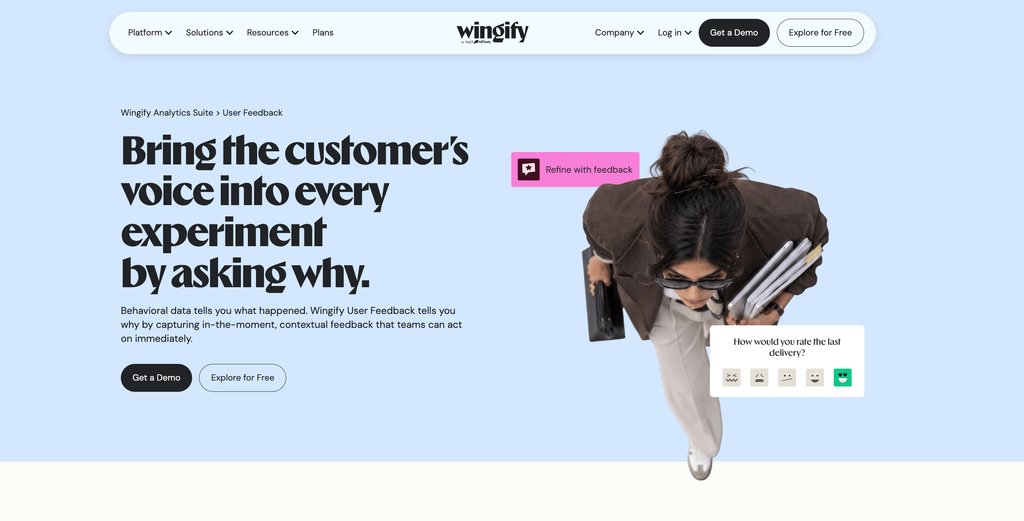
Wingify User Feedback, part of the Wingify Analytics Suite, captures in-the-moment, contextual feedback from customers across web, mobile, and external channels. Behavioral data shows what happened, and User Feedback tells you why, so teams can act on what customers say right away.
Feedback sits on the same platform as analytics and experimentation, so teams can spot where satisfaction drops, ask customers about it in context, and test the fix.
Best features:
1. Surveys that show up at the right moment
Surveys trigger when a visitor hesitates, drops off, or converts, based on their behavior rather than a generic prompt shown to everyone. Teams can ask for feedback at key points such as signup abandonment, onboarding friction, a failed action, exit intent, or a specific scroll depth, capturing customer intent while the experience is still fresh. Surveys can also target specific segments, such as visitors from a campaign or customers with a high cart value.
2. Feedback wherever customers are
Website surveys appear on specific pages or after user actions, mobile app surveys run on selected screens or after in-app events, and link surveys generate a standalone URL for email, social media, or post-purchase outreach with no code needed.
3. Templates and AI to build surveys faster
A template library offers pre-built questions grouped by goals such as Improve Onboarding, Optimize Existing Features, and Measure User Experience. Teams can also describe what they want to learn and let Wingz, Wingify’s AI layer, draft the questions, then edit, rephrase, or reorder them to fit their needs.
4. Surveys that feel like part of your product
Surveys match your brand’s fonts, colors, and themes, with options to change the layout position and upload your own logo. Teams can choose from NPS, CSAT, emoji scales, opinion scales, multiple choice, matrix, and open-text questions, depending on what they want to learn.
5. Feedback from a global audience
Surveys can run in multiple languages at once. Teams can add translations manually or use the built-in Sync from English option to translate an entire survey automatically, so customers in every market can respond in their own language.
6. Follow-ups that don’t wear customers out
Delivery options control how often a customer sees a survey: only once, until they respond, or on a recurring basis. Frequency controls pause surveys once enough feedback is in, so customers aren’t over-surveyed.
7. Real-time reports and AI analysis with Wingz
Survey reports show responses as they come in and record every answer a customer gives, even if they leave the survey partway through. Wingz reads every response, groups them by theme, flags the sentiment behind each, and delivers a clear summary of recurring patterns and recommendations, with no manual sorting required.
8. Concept tests and feedback-driven experiments
Concept tests collect feedback on designs, prototypes, or messaging from real users before development begins. Recurring feedback themes also turn into clear hypotheses that teams can test with Wingify Experimentation, measuring how each change affects conversion and engagement.
Pro Tip!
To gain deeper insights into survey responses, analyze session recordings of respondents on Wingify. This feature lets you click through and watch their interactions, revealing why they answered the way they did and improving your understanding of user behavior.
Pros & cons
Pros
Cons
Offers a user-friendly interface with a straightforward setup, so teams can start collecting feedback quickly.
Offers a limited range of question types, with options like star and emoji ratings but no sliders, custom emoticons, or image and audio questions yet.
Uses AI to summarize session recordings, reducing the time spent analyzing how users interact with the website.
Combines surveys with heatmaps, funnels, and session recordings in one platform, helping teams analyze feedback alongside actual user behavior.
Real results: How customer feedback drove conversion growth
ShopClues used Wingify to optimize its home and category pages, aiming to increase conversions. By analyzing behavior with heatmaps and gathering feedback via on-page surveys, they identified critical areas for improvement, including quicker access to filters like “new arrivals” and “best selling.” These changes led to a 26% increase in visits-to-order from the home page and 48% from the category page, demonstrating how customer feedback can effectively drive improvements and boost conversions.
Control
Variation
Free trial & paid plan:
Free trial
Paid plans
30-day comprehensive trial with full access to all Wingify products
Customized according to your business requirements
Our client’s words:
Wingify consists of a complete set of tools and features, using which I was able to infer how visitors use the site (heat maps, visitor-recording,s etc) and even how they feel (surveys). Gleaning insights from these data, I could strategize and easily launch A/B tests, multivariate tests, personalization triggers, and more to optimize our funnel. The complete process of “data-driven” optimization through this tool is self-explanatory and easy to set up.
Measuring customer satisfaction with dedicated CSAT software is essential for enhancing customer experiences and boosting business growth. These tools offer advanced features for collecting, analyzing, and acting on feedback, providing key benefits:
1. Streamlined data collection
CSAT software automates survey distribution and response collection, ensuring timely feedback while reducing errors.
2. In-depth data analysis
Advanced analytics turn feedback into actionable insights, allowing businesses to track trends and prioritize improvements across various touchpoints.
3. Customization and flexibility
CSAT tools offer customizable surveys with features like conditional logic. These allow you to ask the right follow-up questions and ensure relevant, high-quality responses.
4. Real-time feedback
Get instant feedback through customizable surveys triggered by events like purchases or support interactions. This enables quick action to address customer concerns and boost satisfaction.
5. Integration with existing systems
Seamless integration with CRM, marketing, and helpdesk systems allows for a unified view of customer interactions, streamlining the feedback process.
6. Scalability and continuous improvement
CSAT tools scale with your business, managing increased feedback volumes while tracking customer satisfaction. This ensures businesses can adapt to evolving customer needs and make long-term improvements.
7. Data-driven decisions
Measuring NPS and CSAT scores provides valuable data that informs strategic decisions. This quantitative data is complemented by qualitative feedback, offering a clearer understanding of customer preferences and sentiments.
Wrapping up
Now that you’ve explored the top tools, the next step is choosing the one that matches your goals. Free trials and demos are the best way to test each tool in real-world scenarios and see how well it fits your workflow.
With Wingify User Feedback, you can capture feedback in the moment as visitors interact with your website, helping you understand satisfaction levels and find ways to improve their experience.
User Feedback is part of the Wingify Analytics Suite, where it works alongside Journey Analytics and Behavior Analytics. Journey Analytics shows what users do, Behavior Analytics shows how they do it, and User Feedback captures why. So when heatmaps or recordings reveal where visitors struggle, teams can ask those visitors why, with questions targeted to the behavior they’ve observed.
The value extends beyond analytics. User Feedback connects with Experimentation and Feature Management, and feeds stronger hypotheses into experiments and personalization programs. A recurring complaint can become an A/B test, a personalized experience, or a feature rollout.
Wingz, Wingify’s agentic AI layer, connects it all by carrying context across every Wingify product. It groups feedback by topic and sentiment so urgent issues stand out, then turns insights into test briefs and recommends what to do next, helping teams move from insight to action faster.
Because everything runs on one platform, insights, audiences, and results stay consistent across the platform, making Wingify a practical long-term choice for achieving business objectives.
Wingify’s 30-day free trial lets you explore these survey capabilities before committing, so you can choose with confidence.
FAQs
Q1. What are customer satisfaction survey tools?
Customer satisfaction survey tools are software platforms that help businesses collect, analyze, and act on customer feedback. They measure satisfaction with product quality, service interactions, ease of use, and the overall experience, using metrics such as CSAT (Customer Satisfaction Score), NPS (Net Promoter Score), and CES (Customer Effort Score).
Q2. What is a CSAT score and how is it calculated?
A CSAT score measures how satisfied customers are with a specific interaction, product, or service. Customers rate their satisfaction on a scale, such as 1 to 5 stars, usually right after a purchase, support call, or service interaction. The score is the number of satisfied responses (typically 4 or 5 on a 5-point scale) divided by total responses, multiplied by 100, giving a percentage from 0% to 100%.
Q3. What are the types of customer satisfaction surveys?
The three main types are: CSAT (Customer Satisfaction Score): measures satisfaction with a specific interaction. NPS (Net Promoter Score): gauges loyalty by asking customers how likely they are to recommend your brand. CES (Customer Effort Score): assesses how easy it is for customers to complete a task or resolve an issue.
Q4. Which customer satisfaction survey tools support omnichannel feedback collection?
Zonka Feedback collects NPS, CSAT, and CES through email, SMS, WhatsApp, web, in-app, kiosks, offline mode, and QR codes. Qualtrics captures feedback across surveys, calls, chat, social channels, and digital behavior, and Medallia covers online, in-person, contact center, and chat interactions. Netigate brings feedback from support calls, chats, social media, online reviews, and surveys into one platform.
Q5. What is the best customer satisfaction survey tool for small businesses?
Small businesses usually benefit most from tools with a free plan, quick setup, and ready-made templates. SurveyMonkey, Survicate, and SurveySparrow all offer free plans, and SurveyMonkey adds more than 500 expert templates and AI that builds a survey from a short prompt. For support-focused teams, Nicereply starts at $59/month (billed annually) and sends CSAT surveys automatically after each resolved ticket.
Q6. What is the best tool to measure customer satisfaction on a website or in an app?
Look for a tool that triggers surveys based on what visitors do, so feedback arrives while the experience is fresh. Wingify User Feedback triggers surveys on websites and mobile apps at moments such as exit intent, signup abandonment, or a failed action, and connects responses to session recordings and A/B testing. Survicate also runs CSAT surveys on websites, in-product, and in mobile apps, with targeting based on user attributes and actions.
Q7. Can customer satisfaction surveys be automated?
Yes, most tools in this guide send surveys automatically after key events. Nicereply sends post-resolution surveys after a ticket closes, Zonka Feedback triggers surveys from CRM events, tickets, or transactions, and Survicate runs recurring surveys that collect satisfaction data continuously. Wingify User Feedback triggers surveys based on visitor behavior and controls how often each customer sees them.
Q8. Can customer satisfaction survey tools help improve satisfaction and business outcomes?
Yes, when teams act on the feedback they collect. Qualtrics flags at-risk customers when CSAT scores drop, and Zonka Feedback turns feedback into trackable cases with assigned owners. Wingify connects feedback to experimentation, so teams can test changes based on what customers say. ShopClues, for example, combined on-page surveys with heatmaps and A/B testing to increase visits-to-order from both its home and category pages.
I'm a branding enthusiast, marketer, and B2B content professional with over 20 years of experience. I'm also a certified native advertising expert and trained in strategic thinking. Author of 'Managing Modern Brands: Cult Theory and Psychology', and three other books in diverse genres. I generally write on marketing trends, optimization, brand strategy, consumer psychology, CRO, cult theory, data, personalization, and content strategy. With a strong expertise in building and leading teams and cross-functional collaboration, I have driven demand through content creation, data, digital media, content marketing, and technology.
You might also love to read these on Website Surveys
14 Min Read
Voice of Customer Audit: How to Find the Revenue You’re Leaking to Customer Friction
9 Min Read
CSAT vs NPS: A Complete Guide to Customer Feedback Metrics
9 Min Read
What Is Customer Effort Score & How to Use It Effectively?