
Tealium helps companies connect their data to better connect with their customers. It is now possible to use audiences and badges defined in the Tealium Customer Data Hub to target visitors in Wingify campaigns.
For example: Assume that you have created an audience – Premium customers – in Tealium, which identifies highly paying customers. Now, you can easily do the following in Wingify:
- Optimize the experience for a specific set of visitors (Premium customers in this case) by running A/B tests targeted to this audience.
- Personalize the experience for your premium customers by running a deploy campaign.
- Create a view to capture recordings for this specific set of audience, to get insights around how your premium customers are interacting with your website differently than some of the other audiences.
All this can be done with a few clicks in the Wingify dashboard. You can find the Tealium integration in the Wingify’s integrations tab:
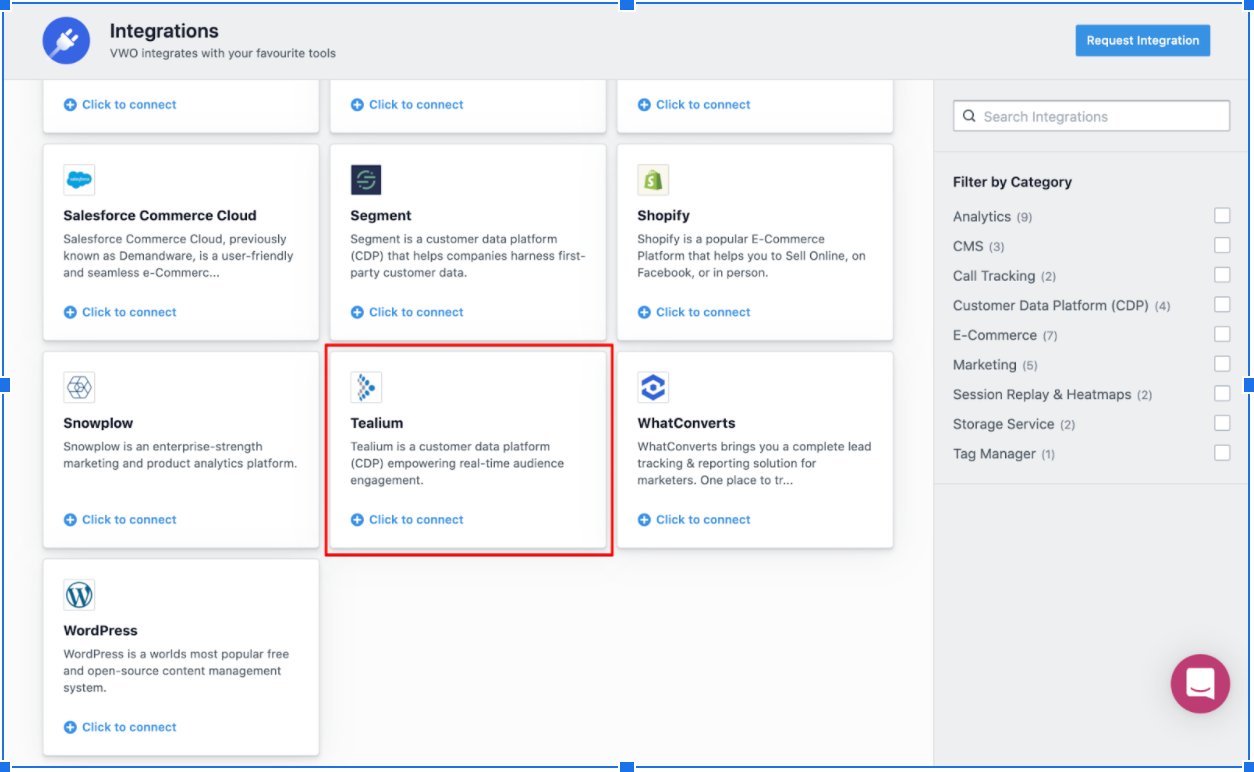
Note: The Tealium integration is available in the Wingify Pro and Enterprise plans.
You can use this integration in Wingify’s Testing, Deploy, Insights campaigns. To find out more about it and a step-by-step guide to enable it in Wingify, refer to the knowledge base