Integraciones > Segment
About Segment
Segment.com is a customer data platform that simplifies data collection and integration. It allows businesses to collect customer data from various sources, unify it into a single platform, and then route it to different marketing and analytics tools. This helps companies get a clearer understanding of their customers and personalize their marketing efforts.
Benefits
1. Target Wingify campaign using Segment data
With data flowing from Segment to Wingify, you can leverage the rich user attributes and events captured by Segment to create more targeted campaigns in VWO. Basically, you can use Segment attributes and events just as you would Wingify’s native ones to define precise user groups for testing and personalization campaigns.
2. Leverage Segment ‘Audience’ while setting up visitor targeting in Wingify
You can also import Segment’s ‘Audience’ into Wingify and use it for targeting across the Wingify platform. For instance, you could run personalization or testing campaigns on Segment’s audience list, or use it to create custom views for your session recording and heatmap.
3. Tag your visitors’ experimentation activity in your analytics tool
With Segment, you can effortlessly push your visitors’ experimentation data in Wingify to your existing analytics tool. This allows you to run larger analyses, combining your visitors’ experimentation details along with other metrics, reports, dimensions, already defined in your analytics tool.
4. Unify your data at one place
If Segment is your inhouse CDP you can leverage this integration to push all your Wingify data, including user behavior, events, and attributes, to Segment, where it can be unified with data from other sources.
Use cases
1. Utilize user data in Segment to target your A/B tests
For instance, define users who have abandoned the cart by utilizing ‘Segment’ data, and A/B test different incentives via Wingify to drive them to complete the purchase.
2. Import Segment ‘Audience list’ to run analysis across Wingify Insights platform
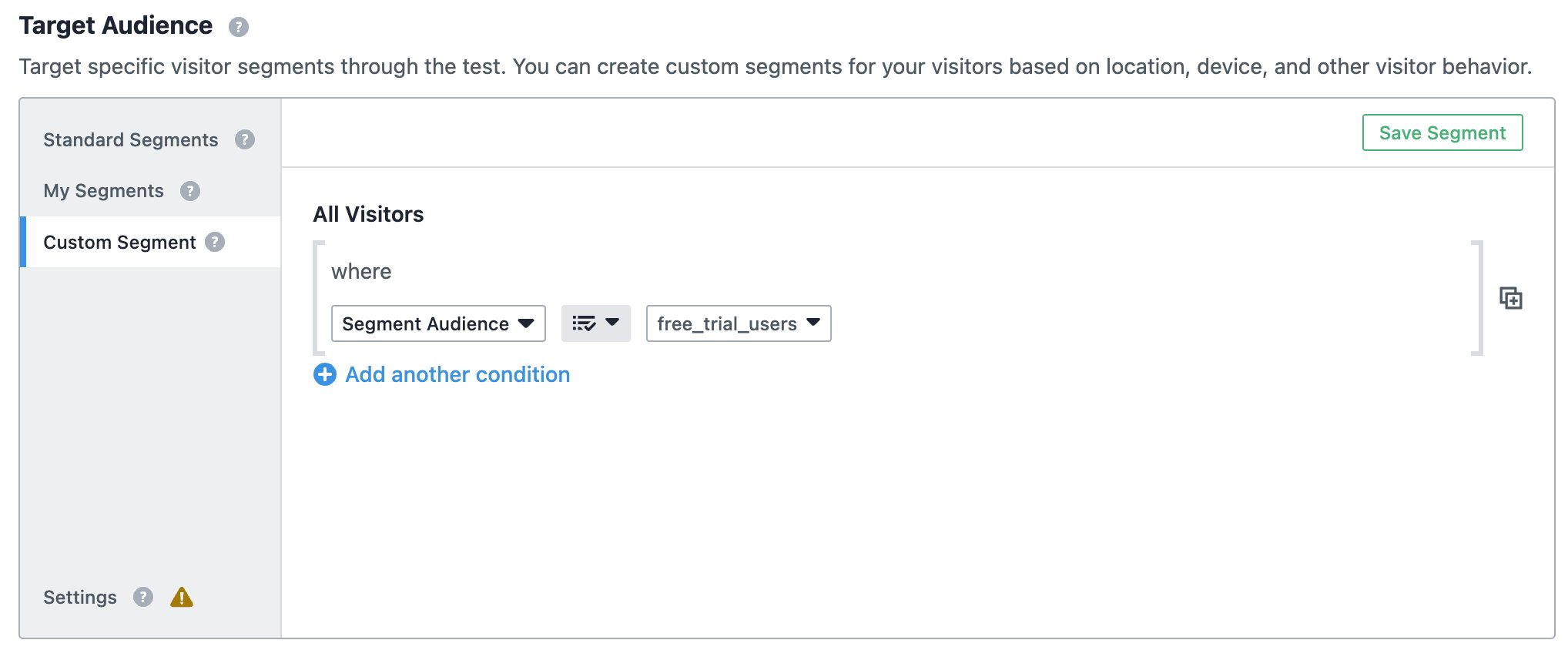
For instance, if you have defined “Free trial users” audience in Segment and want to view their session recording, you can seamlessly import this audience list into Wingify Insights, and capture session recordings specifically of those users.
3. Utilize user data in Segment to deliver personalized experiences across web and mobile
For instance, you can define ‘Audience’ in Segment who frequently view a particular category of products on your mobile app and target them with personalized offers via Wingify on the website.
4. Analyze your customer journey by integrating Wingify’s experimentation data with other analytics tools
For instance, if you use Heap, Amplitude, GA, or any other analytics tool connected through Segment, you can push Wingify’s campaign data to them and tie it with the larger user behavior data for a richer understanding of your user journey.
Shared data


Visitors are tagged with their experiment and variation ID during their session, and this data is pushed to the integrated tool.
Data from third-party tools is used to target visitors in Wingify campaigns (e.g., 6sense's Firmographic data, Marketo's Smart lists, Segment's audiences).
Custom events from the integrated tool are pulled into Wingify and used as metrics in Testing, Personalize, and Insights campaigns, for more effective tracking and analysis.
Features by plan
| Feature | Growth | Pro | Enterprise |
|---|---|---|---|
|
Export Campaign Info
Visitors are tagged with their experiment and variation ID during their session, and this data is pushed to the integrated tool. |
|||
|
Audience Targeting
Data from third-party tools is used to target visitors in Wingify campaigns (e.g., 6sense's Firmographic data, Marketo's Smart lists, Segment's audiences). |
|||
|
Event Stream
Custom events from the integrated tool are pulled into Wingify and used as metrics in Testing, Personalize, and Insights campaigns, for more effective tracking and analysis. |
FAQs
Yes, you can use server-side events in Wingify Web Testing by utilizing the Wingify Cloud Mode Action Destination.
Yes, you can use Segment.io events in Wingify Full Stack, but only server-side events are supported.
Yes, data tagging and event streaming occur in real time, so there's no lag. However, audience data synchronization happens daily.
Yes, but only client-side events can be used to target Wingify campaigns.

As a hands-on user of Wingify, I’ve personally experienced how quickly it allows prototyping and testing of new ideas, features, and content. The ability to push changes, without having to involve multiple teams to relaunch areas of the site can’t be praised highly enough, and the ability to reverse those same changes instantaneously is equally as useful.
Senior Group Product, Design Manager