Integraciones > Google Analytics 4
About Google Analytics 4
Google Analytics 4 is an analytics platform by Google that works on an event-based model instead of session-based model that was used by its predecessor, Universal Analytics. It employs machine learning to provide predictive insights, offers built-in privacy controls to adapt to a cookieless future, and unifies tracking across websites and mobile apps in a single property. Additionally, whereas UA relied heavily on cookies and offered limited privacy options, GA4 places a stronger emphasis on user privacy and compliance with regulations like GDPR, offering more sophisticated controls for data collection and retention.
Benefits
1. Push Wingify campaign data to GA4
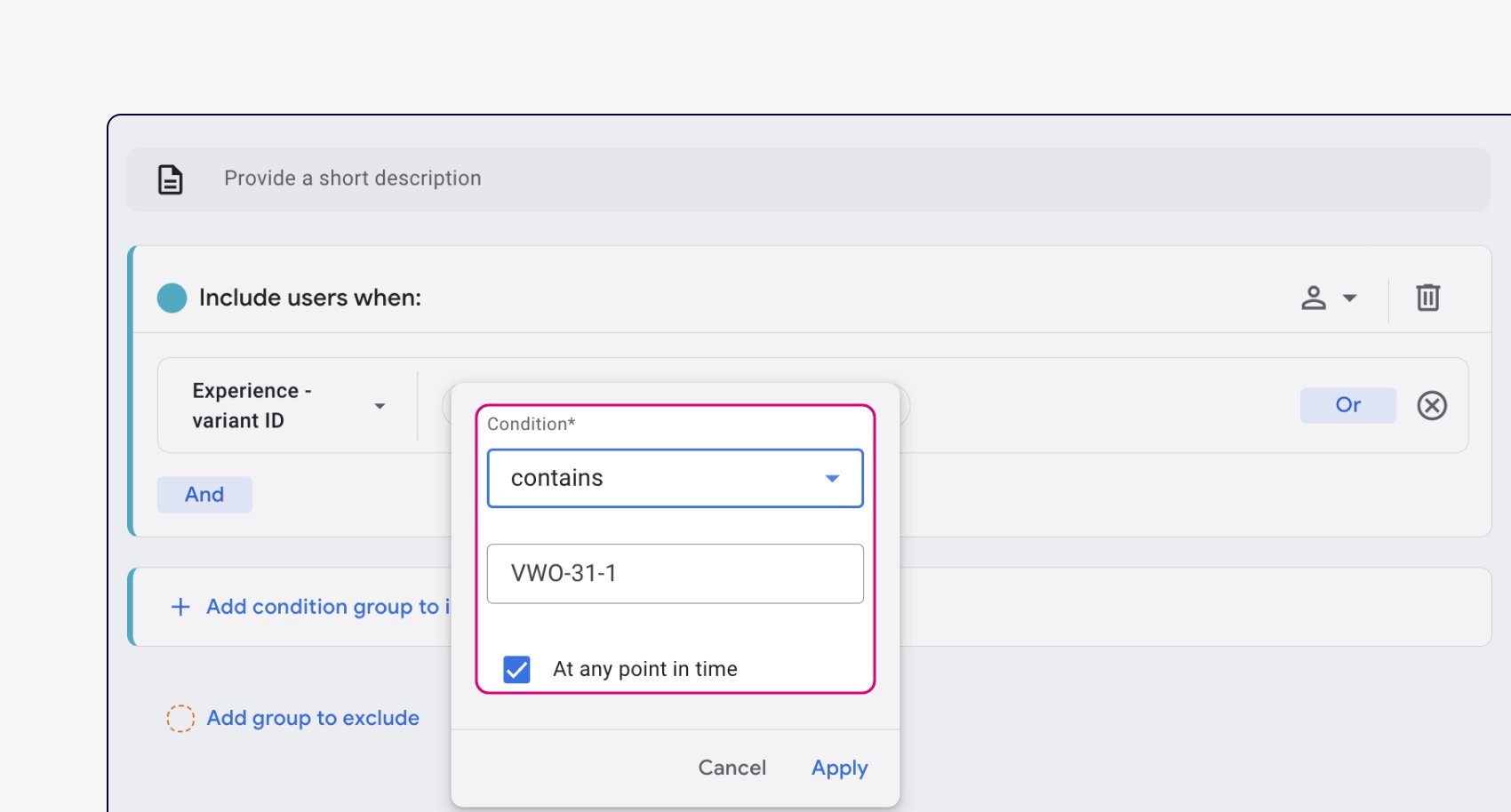
With this integration, Wingify automatically pushes campaign data to GA4. This includes information about which visitors are exposed to which variations of your Wingify campaigns, such that if you want to segment users in GA based on their experiment variation, you can easily do so.
2. Create GA4 audiences from within Wingify campaign
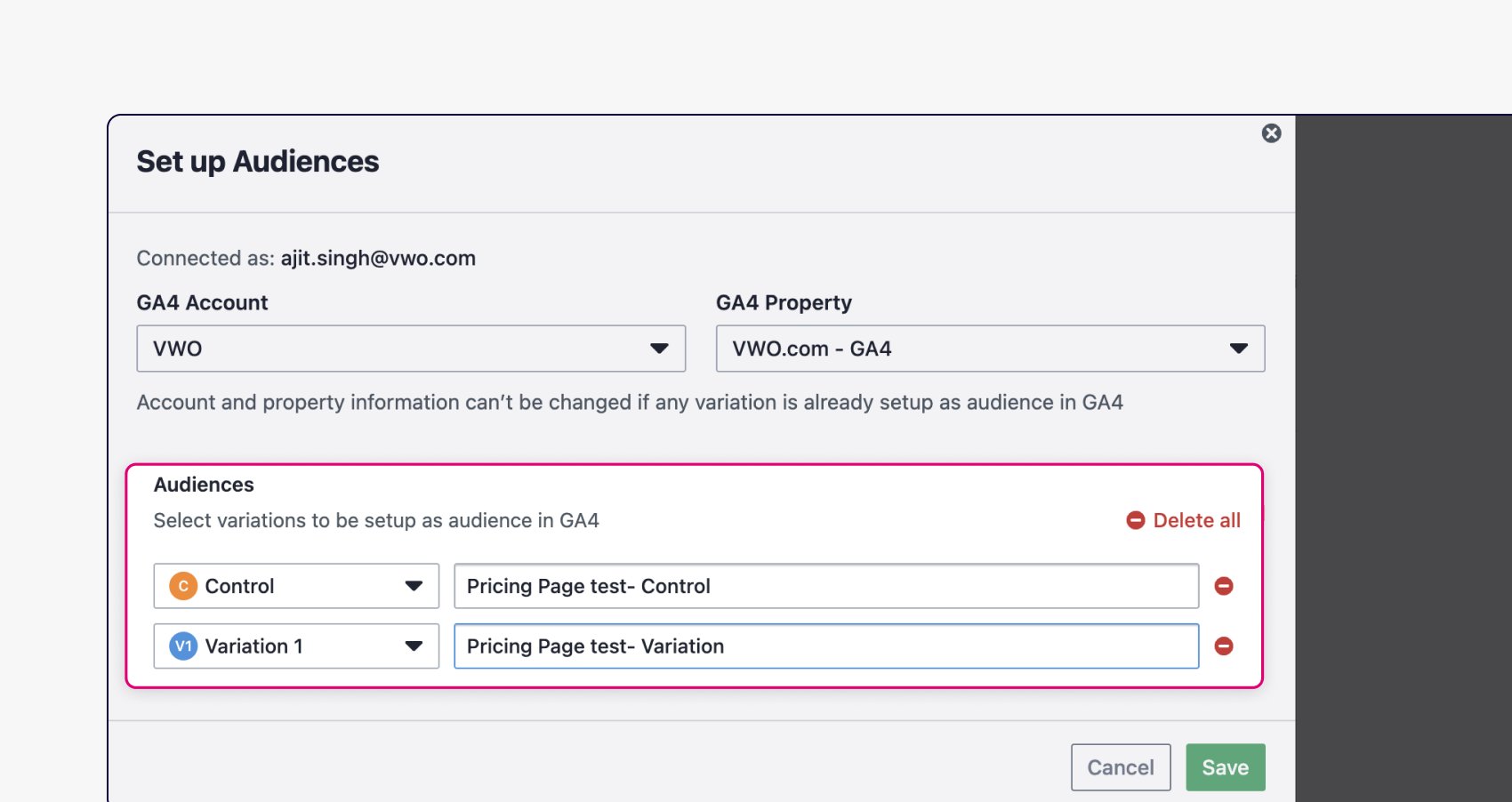
Set up visitors of your experiment variations as audiences in GA4, directly from your Wingify account. This eliminates the need to manually configure filters in GA4 to create these audiences. They are automatically created in GA4 and start getting populated.
 3. Import GA4 audience to Wingify
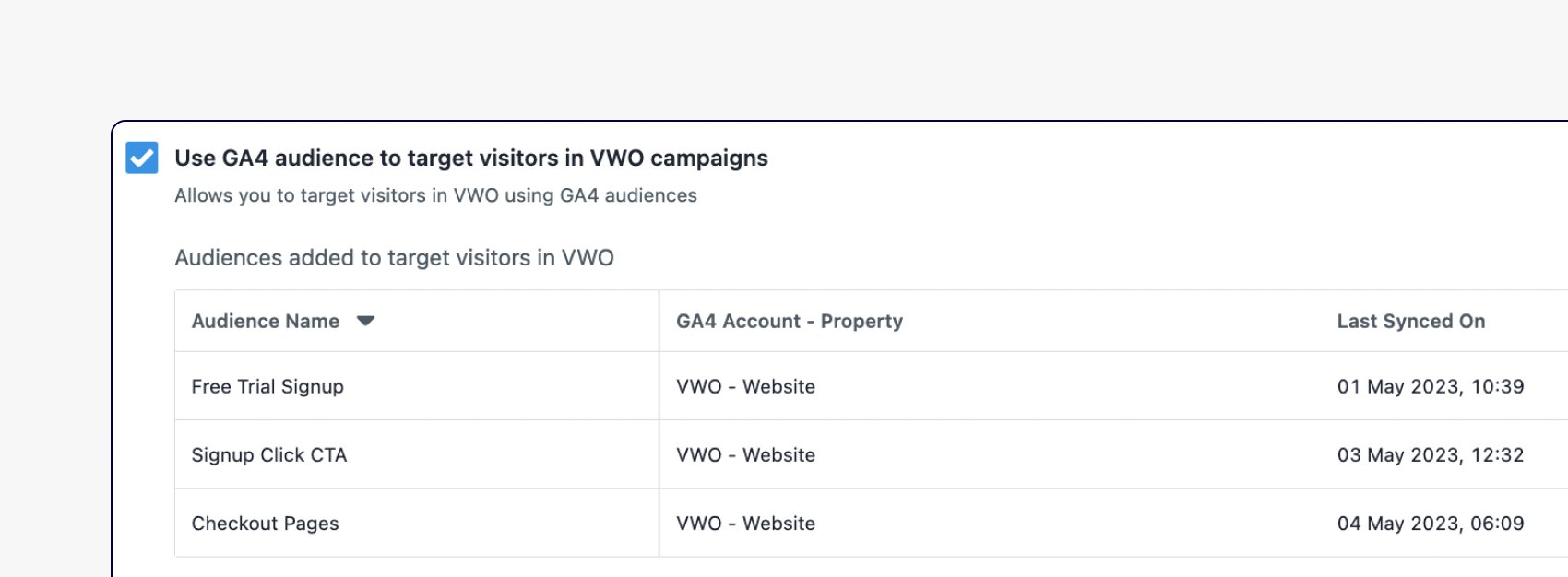
Apart from pushing Wingify campaign data, you can also import audiences created in GA4 into your Wingify account. This means you can leverage pre-built GA4 audiences for your Wingify campaigns.
Use cases
1. Create personalized experience for your high-value customer segments in GA4
Import your customer segments from GA4, and create personalized experiences in Wingify targeting these segments. For instance, create an audience in GA4 for users who have abandoned their shopping cart, then import this audience into Wingify and create a personalized campaign offering a special discount.
2. Analyze your experiment variations performance against GA4 metrics
Rather than focusing on a few conversion metrics set up in Wingify, analyze how your test variations impact overall business metrics that you track in GA4. Compare your variation performance against other GA4 dimensions and metrics for more comprehensive analysis.
3. Run A/B tests on GA4 audience and optimize their journey
For instance, import a GA4 audience of users who added items to cart but didn’t purchase, then use Wingify to test different incentives (e.g., free shipping, limited-time discounts) to improve checkout completion rates.
4. View session recording of GA4 audience
Apart from running tests and personalization campaigns on GA4 audiences you can also view their session recordings and heatmaps in Wingify. This allows you to segment your targeted audience in GA4 and then comprehensively understand their behavior via session recordings and heatmaps.
Shared data


Visitors are tagged with their experiment and variation ID during their session, and this data is pushed to the integrated tool.
Data from third-party tools is used to target visitors in Wingify campaigns (e.g., 6sense's Firmographic data, Marketo's Smart lists, Segment's audiences).
Features by plan
| Feature | Growth | Pro | Enterprise |
|---|---|---|---|
|
Export Campaign Info
Visitors are tagged with their experiment and variation ID during their session, and this data is pushed to the integrated tool. |
|||
|
Audience Targeting
Data from third-party tools is used to target visitors in Wingify campaigns (e.g., 6sense's Firmographic data, Marketo's Smart lists, Segment's audiences). |

As a hands-on user of Wingify, I’ve personally experienced how quickly it allows prototyping and testing of new ideas, features, and content. The ability to push changes, without having to involve multiple teams to relaunch areas of the site can’t be praised highly enough, and the ability to reverse those same changes instantaneously is equally as useful.
Senior Group Product, Design Manager